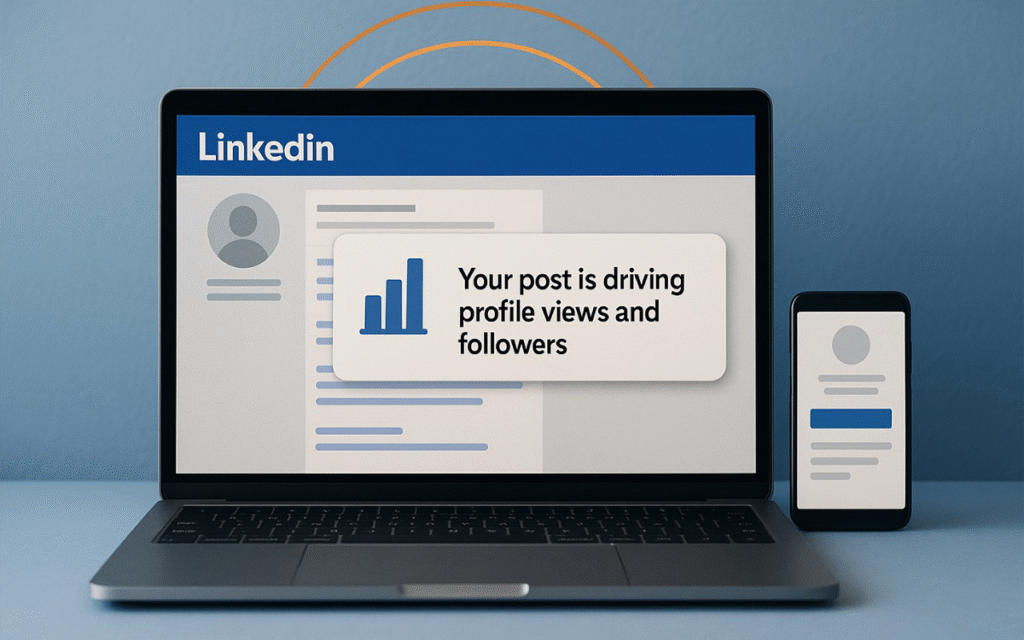
Every time you post something thoughtful on LinkedIn—an insight, a project update, a question—you hope someone notices. But it’s not just about likes or comments anymore. A new feature from LinkedIn is quietly changing the game: you now get alerts when your post actually generates profile views, followers, and impressions over time.
For professionals in India—whether in Bengaluru, Mumbai, Delhi, Chennai, or beyond—this feels like a breath of fresh air. Because finally, you can see not only what content is being consumed, but which content is making people interested enough to check you out.
What Exactly Is This New Feature?
LinkedIn sends notifications when a post you made drives profile views or new followers, not just immediate impressions.
These alerts come at intervals (typically around 3 days and 7 days after posting), so you can track both the short-term spike and the longer tail of engagement.
It builds on existing analytics: impressions, likes, comments etc., but adds this layer of meaningful engagement. Seeing someone view your profile or follow you means they want to know more.
Why This Matters for Indian Professionals & Businesses
Better insight into what connects with your audience here.
In India, cultural context, industry norms, job market dynamics are different. If your post gets followers from, say, Hyderabad tech circles or recruiters in Pune, that tells you which content resonates locally.
More precise content strategy.
Instead of chasing viral posts (which are great but unpredictable), you can now focus on content that builds your network. Maybe it’s local case studies, client stories in your city, or sector-specific tips (IT, education, health-tech etc.).
Stronger personal branding & trust.
When people view your profile, read your story, see your skills—they start to trust you more. In consulting, freelancing or job seeking, reputation matters. These alerts show where that trust is growing.
Improved opportunity spotting.
With profile views and followers rising, recruiters, potential clients, collaborators may reach out. If you know which posts triggered interest, you can lean into those topics, formats or styles.
How to Use These Alerts Smartly in India
| Strategy | What to Do |
| Localise content | Refer to Indian markets, cities, problems. For example: “How Bangalore startups tackle supply chain delays”, or “Lessons from Kerala’s MSMEs in digital marketing.” |
| Use regional keywords | Include keywords like “Mumbai digital marketing”, “Hyderabad software development”, “Chennai startups”, etc. Helps reach people searching locally. |
| Mix content formats | Try text posts, short videos (Reels/LinkedIn video), image carousels, polls. See which format draws more profile views or followers. |
| Optimise your profile | If people are visiting, make sure your profile is sharp: professional photo, clear headline, achievements, skills, location information. |
| Prompt engagement | End your posts with questions or calls to action: “Have you experienced this?”, “Share your story from your city”. This helps reach and interest. |
Challenges & What to Watch Out For
- Not all alerts will lead to business or job leads—just because someone viewed your profile doesn’t always mean intent. But over time, patterns matter.
- If many views are from outside your target audience (region, sector), that might suggest your content is broad but not focused. You may need to tweak who you want to reach.
- Maintaining consistency is key; occasional posts may get views, but content that builds over time shows stronger gains.
SEO & Geo-Friendly Tips for Indian LinkedIn Users
- Include the city / state / region in your posts or profile (for example: “Pune digital agency”, “IT jobs in Kochi”, etc.).
- Use English but sprinkle in local references or examples; people often relate more when you talk about problems or companies in their city.
- Use UK English spellings (“optimise”, “organisation”, “centre”) if you prefer; LinkedIn content is global, but these small touches help your content feel professional.
- Use hashtags smartly with local relevance: #India, #DigitalIndia, #BangaloreTech, etc.
FAQs
- Are these alerts visible to my connections or public?
No. These alerts are private insights for you—to help you understand how your content is performing. Others won’t see that you’ve got a “profile views from post #5” alert.
- Does my post type affect whether I’ll get alerts?
Yes. All post types are eligible (text, video, image/carousel, polls), but different formats usually perform differently in terms of engagement. Videos or visuals often cause people to linger, comment, then perhaps click on your profile.
- If many people view my profile but don’t follow me, is that bad?
Not at all. Profile views mean interest. Some people will want to just check credentials or skills without following. Over time, if your content remains visible and valuable, followers tend to grow.
- How soon will I see these alerts after posting?
Typically around 3 days, and then again at about 7 days, so you can see both the initial momentum and whether content continues to resonate.
- What if I don’t see these alerts yet?
LinkedIn often rolls out features gradually. Also ensure your app is updated. If your profile is fairly new, or you post rarely, data may be lower, so alerts might be less frequent.
Conclusion
LinkedIn’s new alerts are more than just another notification. For Indian professionals and businesses, they’re a chance to finally see which posts are genuinely turning heads—not just garnering likes, but making people stop, visit your profile, consider your story.
What one post of yours will trigger that alert this week? It could be the beginning of a stronger professional presence—more opportunities, connections, influence.